


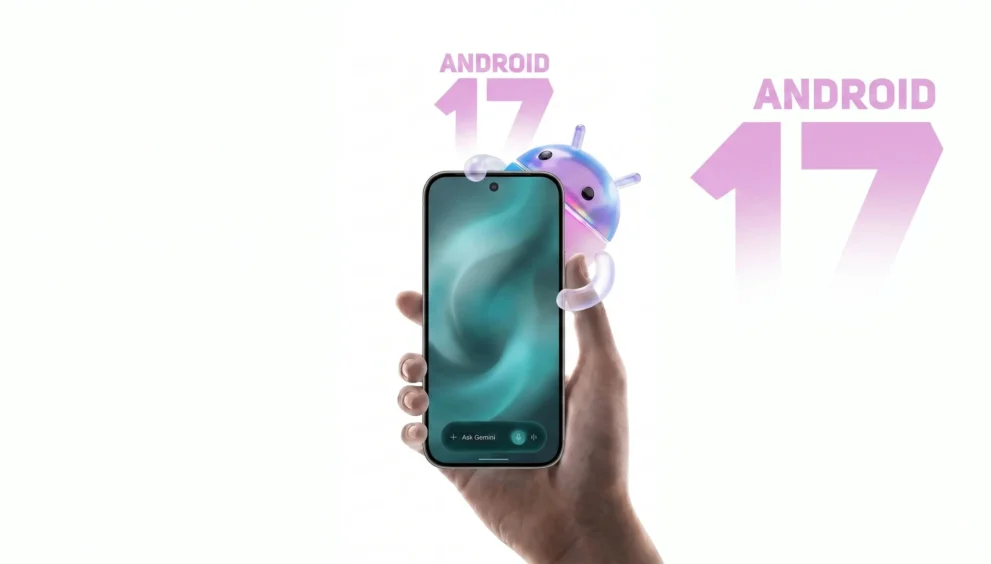
Android 17 could be the update that finally makes your phone feel less like a tool and more like a real helper. For years, smartphone updates have often felt small and predictable. A few visual tweaks here, a security patch there, and not much else. Android 17 is different because it pushes harder into Gemini intelligence, smarter automation, and a more useful everyday experience.
That matters because most people do not care about technical jargon. They care about whether their phone saves time, reduces frustration, and works better in the places they actually use it. Android 17 is aiming squarely at that problem, especially with voice typing, autofill, and in-car features.
Table of Contents
- Why This Update Feels Different
- Features: Gemini Intelligence, Voice Typing, and Autofill
- Android Auto and Google Built-In
- Android 17 vs Older Android Updates
- Availability, Device Support, and Rollout
- Android 17 Pros and Cons
- Key Takeaways
- Conclusion
- FAQ
Why This Update Feels Different
Android updates usually fall into one of two categories. They either improve security and polish, or they add features that sound good but do not change your daily routine very much. Android 17 feels more ambitious because it is focused on making the phone do more work for you.
The big idea is simple: less friction. That means faster voice input, smarter form filling, and more helpful assistant-style actions. Instead of forcing you to tap through menus or correct mistakes over and over, Android 17 wants to predict what you need and handle it more naturally.
That is a meaningful shift. A good operating system should not just look modern. It should reduce the number of small annoyances that slow you down every day.
Features: Gemini Intelligence, Voice Typing, and Autofill
The most important part of Android 17 is not a single flashy visual change. It is the deeper AI layer built around Gemini intelligence. That layer is meant to make the phone more responsive to how people actually speak, type, and interact.
Smarter voice typing with cleaner results
One of the most practical upgrades is improved voice typing. Many people already use dictation because it is faster than typing on a small screen. The problem is that voice input often gets messy, especially when you speak naturally, change your mind mid-sentence, or talk fast.
Android 17 aims to clean that up. That means fewer awkward transcription errors and a smoother editing experience. For users who send a lot of messages, write notes on the go, or rely on dictation while multitasking, that alone could be a major quality-of-life upgrade.
It is not about showing off AI. It is about making voice input actually dependable.
Smarter autofill across more websites
Autofill sounds boring until it stops working. Then it becomes one of the most annoying things on your phone. Android 17 is expected to improve autofill so it can better understand forms instead of failing on unusual layouts or unfamiliar pages.
That matters because modern websites are inconsistent. Some ask for addresses in strange formats. Some hide fields behind custom designs. Others do not behave the same way across browsers and apps. If Android 17 can interpret forms more intelligently, it will save time and reduce frustration every time you enter your details.
This is the kind of upgrade people notice only when it is missing. Once it works well, it becomes part of the background and makes everything feel smoother.
Gemini intelligence as the new control layer
The bigger story is that Android 17 is pushing Gemini intelligence deeper into the system. That means your phone is not just waiting for commands. It is trying to understand context and act more like an assistant.
That shift could change how people interact with Android. Instead of opening apps, digging through menus, and repeating the same tasks, you may eventually rely more on natural language and smart suggestions. In other words, the phone begins to feel less like software you manage and more like software that manages small tasks for you.
For many users, that is the real promise of Android 17.
Android Auto and Google Built-In
The most exciting Android 17 upgrades may not even happen on the phone itself. They may happen in the car, where attention is limited and convenience matters even more.
Android Auto gets more immersive navigation
Android Auto is moving toward a richer navigation experience. That matters because drivers need information that is easy to read at a glance and simple to trust. If the map interface becomes more immersive, it can help reduce distractions while making the route clearer.
This is especially important for busy roads, unfamiliar cities, and long drives where quick decisions matter. Better navigation is not just about convenience. It is about confidence.
Smarter voice actions on the dashboard
Android 17 is also expected to improve Gemini-powered voice actions inside the car. That means more natural requests, faster task handling, and less dependence on tapping the screen while driving.
Think about common things drivers do all the time. Setting a route. Checking a message. Finding a place to eat. Adjusting plans on the move. If Android 17 can handle those actions more smoothly through voice, it becomes much more useful in daily life.
That is the kind of upgrade that can make a system feel modern without demanding extra effort from the user.
Food ordering and in-car convenience
One of the more interesting possibilities is the ability to do things like food ordering from the dashboard in supported systems. That may sound small, but it points to a bigger trend. Your car is becoming part of your digital workflow, not just a place to listen to music or check directions.
If Android 17 can make those services easy to access and safe to use, the car becomes an extension of your phone ecosystem. That can be especially helpful during commutes, road trips, and busy schedules.
Better lane guidance with camera support
Some vehicles with Google built-in may also get better live lane guidance using the front camera. That is a more advanced navigation feature and potentially one of the most useful. Lane guidance is often where standard maps become too generic. Real-time visual understanding could make directions feel much more precise.
That said, this type of feature will likely depend on the car, the hardware, and the region. It is not the kind of upgrade every user will see immediately.
Android 17 vs Older Android Updates
Compared with older Android releases, Android 17 is less about surface-level design and more about functional intelligence. That is an important difference.
Earlier updates often focused on visual polish, privacy controls, or small usability changes. Those are valuable, but they rarely change the way you actually use the device day to day. Android 17 is trying to move the experience forward by making the phone do more thinking for you.
That is why this update feels more important than a typical version bump. It is not only adding features. It is changing the role of the operating system itself.
Android 17 vs standard smart features
Most phones already claim to have smart features. The problem is that many of them feel limited or fragmented. Android 17 is aiming for something broader: a more connected, system-level assistant experience.
If it works well, you should notice fewer interruptions, fewer manual steps, and fewer moments where the phone feels stubborn. That is a much stronger value proposition than a simple redesign.
Availability, Device Support, and Rollout
Android 17 is unlikely to arrive everywhere at once. That is normal for major Android releases, especially when AI-powered features are involved. Rollouts often happen gradually, and the best tools usually appear first on newer devices.
Newer Pixel and Samsung phones may get priority
The most advanced Gemini features are expected to land first on newer Pixel and Samsung models. That makes sense because those devices usually serve as launch platforms for Google’s newest software capabilities.
For buyers, this creates an important question. If you want the newest Android experience as soon as possible, device choice matters. A phone with stronger update support will likely get the best version of Android 17 faster and more completely.
Older phones may get a limited version
Not every device will receive every feature. Some users may get the core update without the most advanced AI functions. That is especially common with features that rely on newer hardware, better on-device processing, or deeper system integration.
So while Android 17 is exciting, the real-world experience will depend on your phone model. This is one reason buyers should pay attention to long-term software support before upgrading.
Is there a price for Android 17?
For users, Android updates are generally free. The cost question is more about hardware. If you need a new phone to get the full feature set, then the real expense comes from the device itself, not the software.
That is worth keeping in mind if you are comparing upgrade options. A new operating system can be free while still pushing you toward a newer phone to enjoy its best features.
Android 17 Pros and Cons
Every major update has strengths and trade-offs.
Pros
- Smarter voice typing should make everyday communication easier.
- Improved autofill can save time across apps and websites.
- Gemini intelligence adds a more useful assistant layer.
- Android Auto upgrades could make driving safer and more convenient.
- Better support on newer devices may deliver a noticeably smoother experience.
Cons
- Rollout may be slow and uneven.
- The best features may be limited to newer phones.
- Some car features will depend on hardware compatibility.
- AI-heavy tools can be helpful, but only if they work consistently.
The biggest strength of 17 is clear. It tries to solve real annoyances. The biggest weakness is also clear. Not everyone will get the full experience right away.
Key Takeaways
- Android 17 focuses on practical AI, not just cosmetic changes.
- Gemini intelligence is the core of the new experience.
- Smarter voice typing and autofill are among the most useful upgrades.
- Android Auto may become one of the most exciting parts of the update.
- Newer Pixel and Samsung phones are likely to get the best features first.
- The update feels more like a shift in how Android works than a normal version refresh.
Conclusion
Android 17 looks like the kind of update that could change everyday phone use in a real way. It is not trying to win attention with gimmicks. It is trying to remove friction, save time, and make your device act more intelligently across typing, forms, navigation, and driving.
That makes it one of the more interesting Android releases in years. If Google delivers these features smoothly and rolls them out reliably, It could mark the moment when Android starts feeling less like a phone operating system and more like a true personal assistant.
For readers watching the Android ecosystem closely, this is a release worth following. Keep an eye on device support, rollout timing, and which features reach your phone first.
FAQ
What is Android 17 supposed to improve the most?
Android 17 appears to focus on AI-powered convenience, especially smarter voice typing, better autofill, and more useful assistant-style features.
Will Android 17 work on older phones?
Some older phones may get the update, but the most advanced features may be reserved for newer devices with better hardware support.
What is Gemini intelligence in Android 17?
Gemini intelligence is the AI layer designed to make Android more helpful by improving how it understands voice, forms, and user actions.
Is Android 17 only about phones?
No. A major part of the update is expected to improve Android Auto and Google built-in car experiences.
Which devices may get Android 17 features first?
Newer Pixel and Samsung phones are likely to receive the strongest feature set first.
Is Android 17 a paid update?
The software update itself is expected to be free, but you may need newer hardware to access all of its features.
Watch the Full Video
For more in-depth tech content, visit the Tech Chat YouTube channel.